Introducing Frame War
Submit your best edit, make it into the Top 3, and compete for the monthly Frame War reward. The winner receives cash plus exposure across EarnEdits community channels.

PRODUCT CATEGORIES
Submit your best edit, make it into the Top 3, and compete for the monthly Frame War reward. The winner receives cash plus exposure across EarnEdits community channels.
 Back
Back

 Jul 27, 2026
 Muhammad Sikandar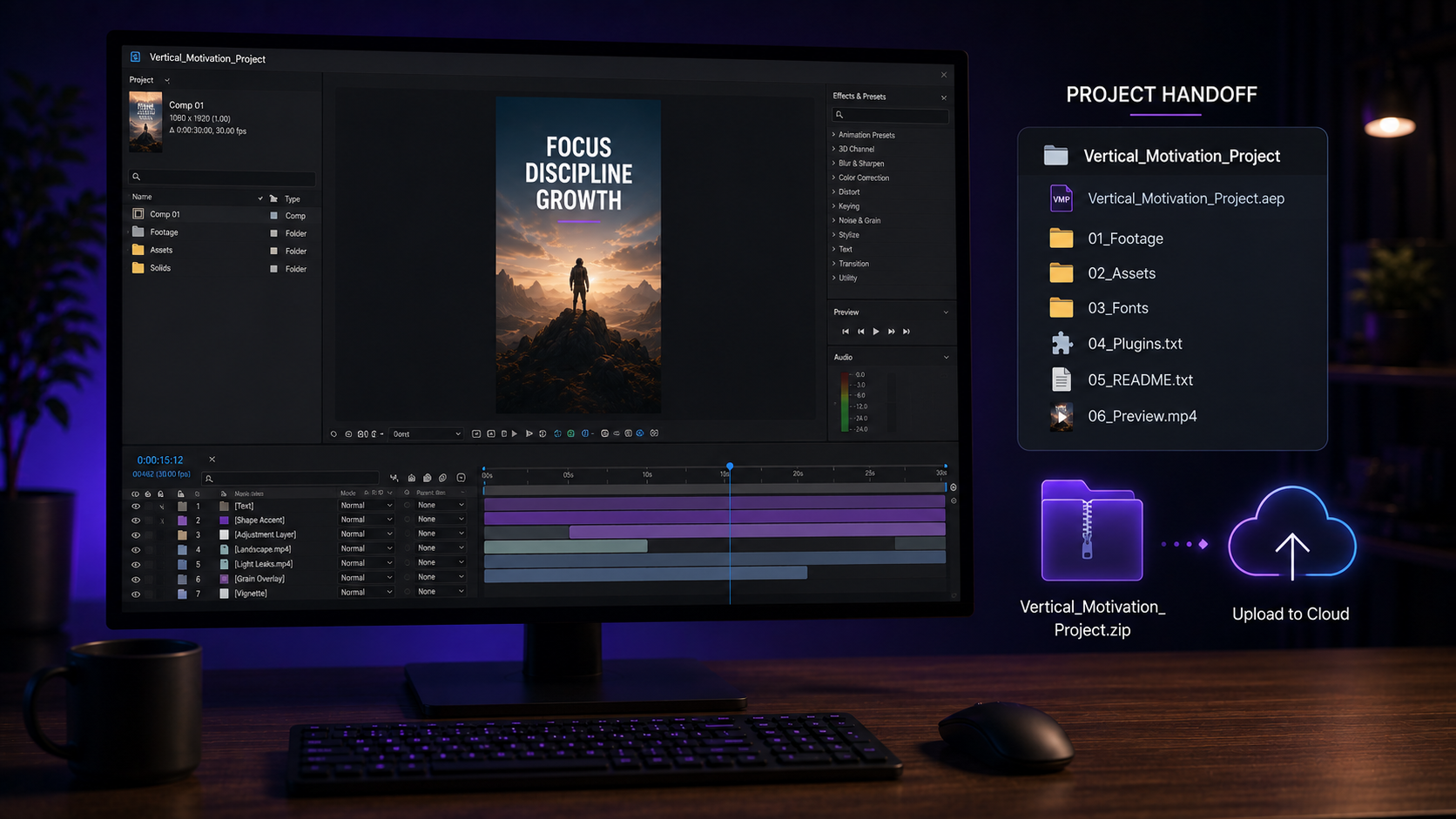
A complete After Effects handoff packages the collected project plus the three things Collect Files leaves out: fonts, third-party plugins, and external scripts. We send project files to editors and clients constantly, and the missing-font error is the most common reason a handoff fails on the other machine.
Collect Files gathers footage and the project. The feature does not gather everything the project needs. This guide covers the full pre-send checklist, the fonts step that causes most failures, and the folder structure that opens clean on any machine.
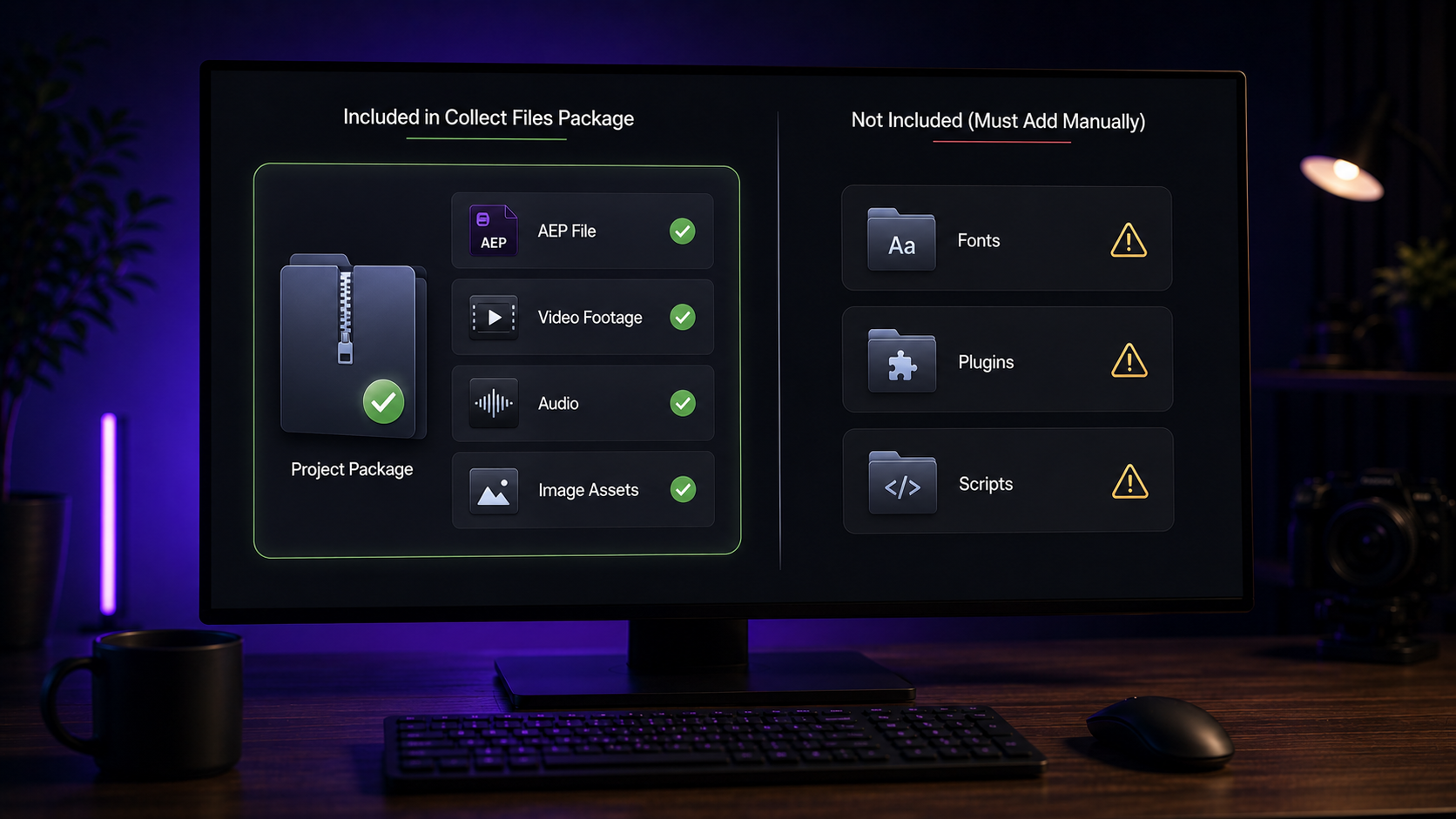
Collect Files packages the project and every referenced footage asset into one folder, and it excludes fonts, plugins, and scripts. The feature copies footage, audio, images, and the .aep itself into a self-contained folder with relative paths. That part works reliably.
The gap is what it leaves behind. Fonts stay on the origin machine. Third-party plugin dependencies do not travel. External scripts and expressions referencing outside files break. A handoff built on Collect Files alone arrives incomplete, and the recipient meets an error screen. The full walkthrough of the feature itself sits in our guide on how to collect files in After Effects.
A clean handoff runs six steps: cleanup, collect, fonts, plugin list, preview render, and a README. The checklist turns an incomplete Collect Files output into a package that opens anywhere.
Step 1: Clean the project first
Removing unused assets before collecting shrinks the package and prevents confusion. Delete unused compositions, footage, and layers. A lean project transfers faster and reads clearer on the other end. The recipient opens a project that contains only what the final result needs.
Step 2: Run Collect Files
Collect Files gathers the project and footage into the transfer folder. Use the For All Compositions option for most handoffs, which copies only assets active in compositions. Name the folder with a clear convention, such as ProjectName_Handoff_2026.
Step 3: Package the fonts
Fonts cause the most handoff failures, so collecting them into a font subfolder is the step that saves the project. Identify every font the project uses. Copy the font files into a folder named Fonts inside the handoff folder. The recipient installs them before opening the project.
Finding the fonts is faster with a built-in trick. Type the word Missing into the Project Panel search bar, and After Effects auto-fills Missing Footage, Missing Fonts, and Missing Effects. Running this on the origin machine first confirms nothing is already missing before the handoff even starts.
Step 4: List the plugins
A plain-text list of every third-party plugin lets the recipient match the setup. Note each plugin and its version: the effect plugins, the script-based tools, anything outside native After Effects. A recipient missing a plugin sees a missing-effect error, and the list tells them exactly what to install.
Step 5: Add a preview render
A rendered MP4 of the final result gives the recipient a reference for the intended output. The preview confirms what the project builds toward. A recipient comparing their opened project against the preview spots any missing element immediately.
Step 6: Write a short README
A short text file explaining the folder contents removes guesswork. List the fonts to install, the plugins required, the main composition to open, and the After Effects version the project was built in. Two minutes of writing saves the recipient an hour of investigation.
A project saved in a newer After Effects version does not open in an older one, so stating the version prevents a dead handoff. Version mismatch is a silent handoff killer. The recipient on an older release cannot open the file at all.
The fix is communication plus a fallback. State the build version in the README. When the recipient runs an older version, save a copy through File then Save As then Save a Copy As, and select an earlier version. Confirming versions before sending avoids the entire problem. The recipient without After Effects at all has other options, covered in our guide on how to open AEP files.
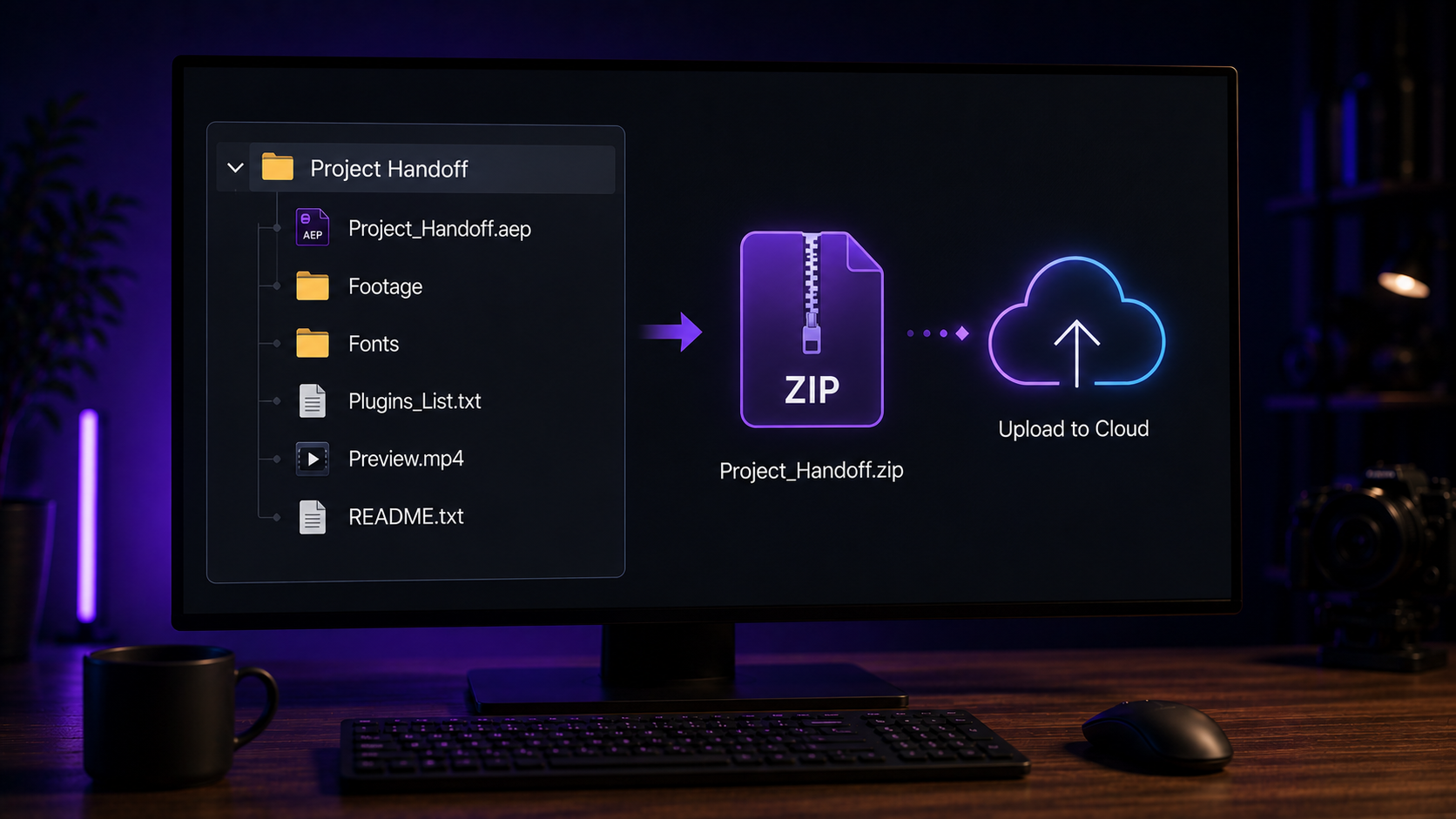
A handoff folder holds four items: the collected project folder, the Fonts folder, the plugin list, and the preview render. Structure removes friction on the receiving end.
The clean layout looks like this:
Zip the entire outer folder before transferring. Zipping keeps every piece together and prevents files separating during upload.
A well-structured project file arrives ready to open, which is the standard buyers expect from a paid file. A purchased project file is a handoff from creator to buyer. The same rules apply: documented fonts, listed plugins, organized structure.
Files failing these standards frustrate the buyer on the first open. We build every file in our library of After Effects project files to open clean, with native effects and documented requirements. The selection standards for files that open without friction sit in our guide to the best After Effects project files for beginners.
No. Collect Files gathers footage and the project, and it excludes fonts, plugins, and scripts. Fonts get copied into a separate folder manually before the handoff.
Type Missing into the Project Panel search bar, and After Effects lists missing fonts, footage, and effects. For fonts already installed, check the text layers directly, and copy every font file into the handoff folder.
The project references assets the handoff did not include, usually fonts or plugins. Collect Files misses those by default. A complete package with a Fonts folder and a plugin list prevents the error.
A newer project does not open in an older version without saving a copy back to that version. Use Save a Copy As and select the earlier version, and state the build version in the handoff notes.
Zip the complete handoff folder and transfer through a file service that preserves the structure. Zipping keeps the project, footage, fonts, and notes together as one piece.

Explore more guides on After Effects project files and viral editing workflows.
Production-ready edits that teach you how they were built.