Introducing Frame War
Submit your best edit, make it into the Top 3, and compete for the monthly Frame War reward. The winner receives cash plus exposure across EarnEdits community channels.
PRODUCT CATEGORIES
Submit your best edit, make it into the Top 3, and compete for the monthly Frame War reward. The winner receives cash plus exposure across EarnEdits community channels.
 Back
Back

 Jul 27, 2026
 Muhammad Sikandar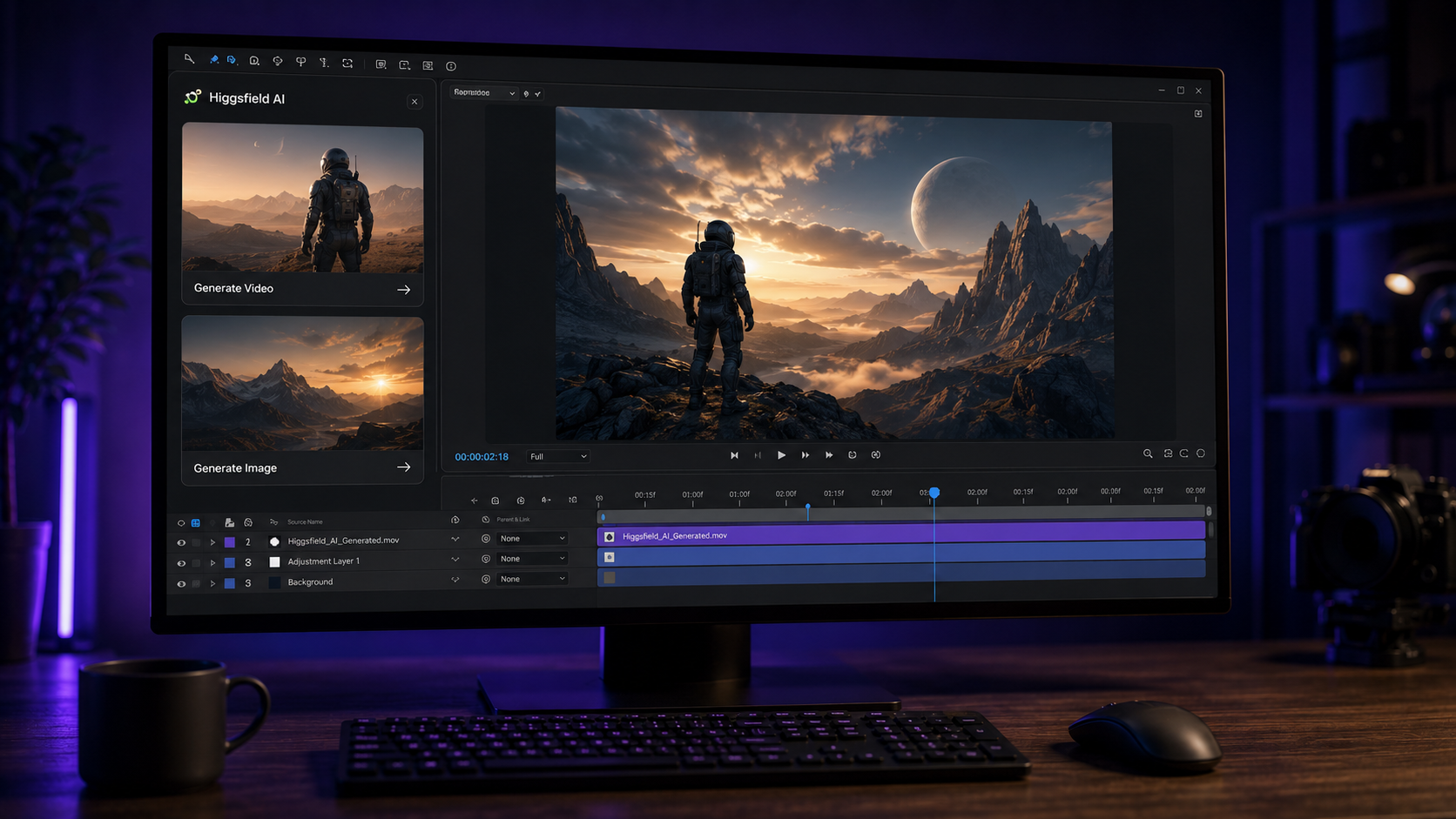
Higgsfield is an AI video and image generation platform, and its Adobe plugin brings that generation directly into the After Effects timeline through a single panel. We build project files using this workflow, so the detail here comes from operating the tool, not reading its marketing.
The plugin generates AI video and images, removes backgrounds, reframes clips, and upscales footage without leaving After Effects. This guide covers four things. Higgsfield itself, how the plugin fits the editing workflow, the commercial licensing that matters for client work, and where the tool stops. The honest limitations sit near the end, because client work depends on knowing them.
Higgsfield is a multi-model AI generation platform that aggregates more than 15 video and image engines under one subscription. The platform does not run a single proprietary model. The platform routes generation across engines including Sora, Veo, Kling, and image models like Nano Banana. The user selects the engine that fits the shot.
The platform reached scale fast. Industry reporting places Higgsfield at a $1.3 billion valuation in early 2026, with over 15 million users. The reason for adoption is range: one subscription reaches models that otherwise require separate tools. For an After Effects editor, the platform matters most for one reason, and that reason is the Adobe plugin.
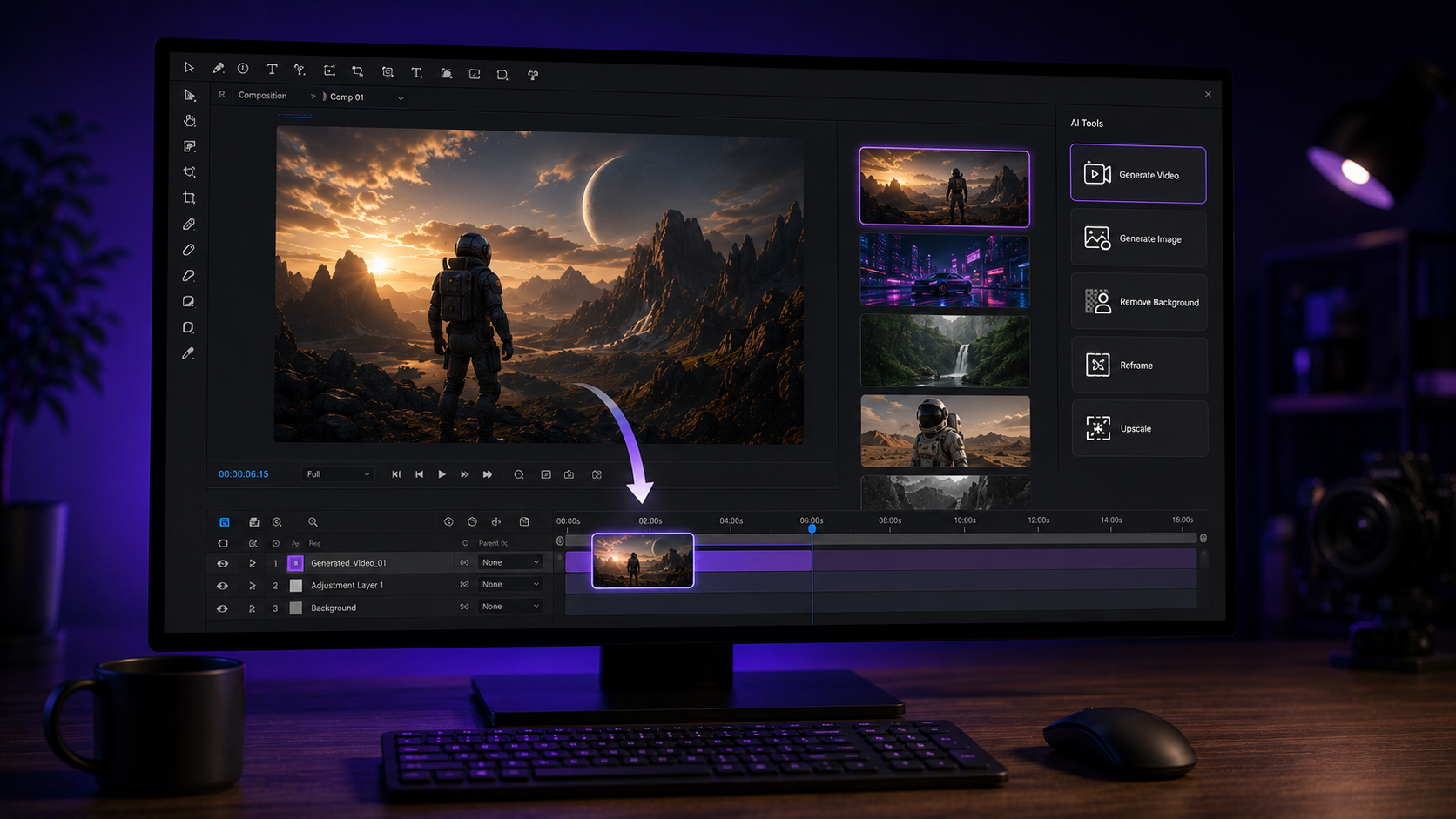
The Higgsfield plugin installs as a single panel inside After Effects, accessed through Window then Extensions then Higgsfield AI. One installer covers both After Effects and Premiere Pro. The panel holds seven tools, and each one runs on the same Higgsfield credits the web platform uses.
The generation tools:
The finishing tools:
The workflow removes the browser round-trip. Generation happens in the panel, and the result enters the composition with no export or import step between. Composite, mask, and layer proceed as usual after the asset lands.
The plugin handles asset generation and repetitive cleanup, and After Effects handles the animation and composition as always. The division matches the AI-to-After-Effects workflow we cover in our guide on the AI After Effects workflow. Generation supplies the raw material. Animation stays the craft.
A typical use runs like this. An editor needs a background that does not exist in stock. The editor generates it in the panel, pulls it into the composition, and animates a camera move across it. The generation took a minute. The animation took the skill. The plugin removed the sourcing step, not the editing step.
Where the plugin saves the most time
The plugin saves the most time on tasks that are tedious without AI: background removal, reframing, and B-roll generation. Rotoscoping a subject by hand costs hours. Removing the background in the panel costs a click. Reframing a horizontal clip to vertical normally means manual repositioning across the whole timeline. The plugin does it in one step.
Higgsfield accesses Nano Banana and other image models for still asset generation inside the same workflow. Nano Banana produces high-quality still visuals, and current image models handle clean text rendering. Clean text rendering makes them viable for title cards, UI mockups, and text-driven overlays beyond the reach of older image models.
For an After Effects editor, the image side matters as much as the video side. Backgrounds, character stills, and product visuals feed directly into compositions. The image-generation and animation split is covered further in our guide to learning After Effects with real project files.
Higgsfield paid plans permit commercial use, and users retain ownership of the generated outputs, with two conditions worth knowing before client delivery. The free plan does not include commercial rights and adds watermarks. Paid plans clear commercial use in ads, social media, and client deliverables.
Two conditions sit underneath that clearance, and client work depends on both.
We confirm the current terms before any client delivery, because plan rights and license language change. A paid plan is not proof of clearance for everything inside the frame.
Higgsfield generates assets and accelerates cleanup, and four parts of the work stay with the editor. The boundary matters, because edits that outsource these four read as generated and perform worse.
The market rewards this boundary. An editor who only generates competes with everyone holding a prompt box. An editor who generates AND animates holds the skill that AI does not supply. The learning path for the animation side runs through deconstruction of real timelines. Our guide to the best After Effects project files for beginners covers where to start.
Higgsfield runs on a credit system, premium models consume credits fast, and generated clips carry length limits. The honest constraints matter for planning.
These constraints do not remove the value. They set the realistic expectation: Higgsfield is an asset engine inside the editing workflow, not a one-click video maker.
Yes. The Higgsfield plugin installs as a panel inside After Effects. The panel generates assets directly on the timeline. One installer covers both After Effects and Premiere Pro, and the panel runs on Higgsfield credits.
The plugin runs on Higgsfield credits, and a paid plan is required for commercial and watermark-free use. The free tier adds watermarks and limits use to personal and evaluation purposes.
Yes, on a paid plan, with third-party clearance still the editor's responsibility. Paid plans permit commercial use, and the platform license does not cover copyrighted characters, music, or real faces inside a generation.
Higgsfield is the platform, and Nano Banana is one of the image models it accesses. Higgsfield aggregates many models, and Nano Banana handles high-quality still image generation within that roster.
No. Higgsfield generates assets, and After Effects animation, composition, and timing stay editor skills. The tool removes the sourcing step, not the editing craft.

Explore more guides on After Effects project files and viral editing workflows.
Production-ready edits that teach you how they were built.