Introducing Frame War
Submit your best edit, make it into the Top 3, and compete for the monthly Frame War reward. The winner receives cash plus exposure across EarnEdits community channels.

PRODUCT CATEGORIES
Submit your best edit, make it into the Top 3, and compete for the monthly Frame War reward. The winner receives cash plus exposure across EarnEdits community channels.
 Back
Back

 Aug 10, 2026
 Muhammad Sikandar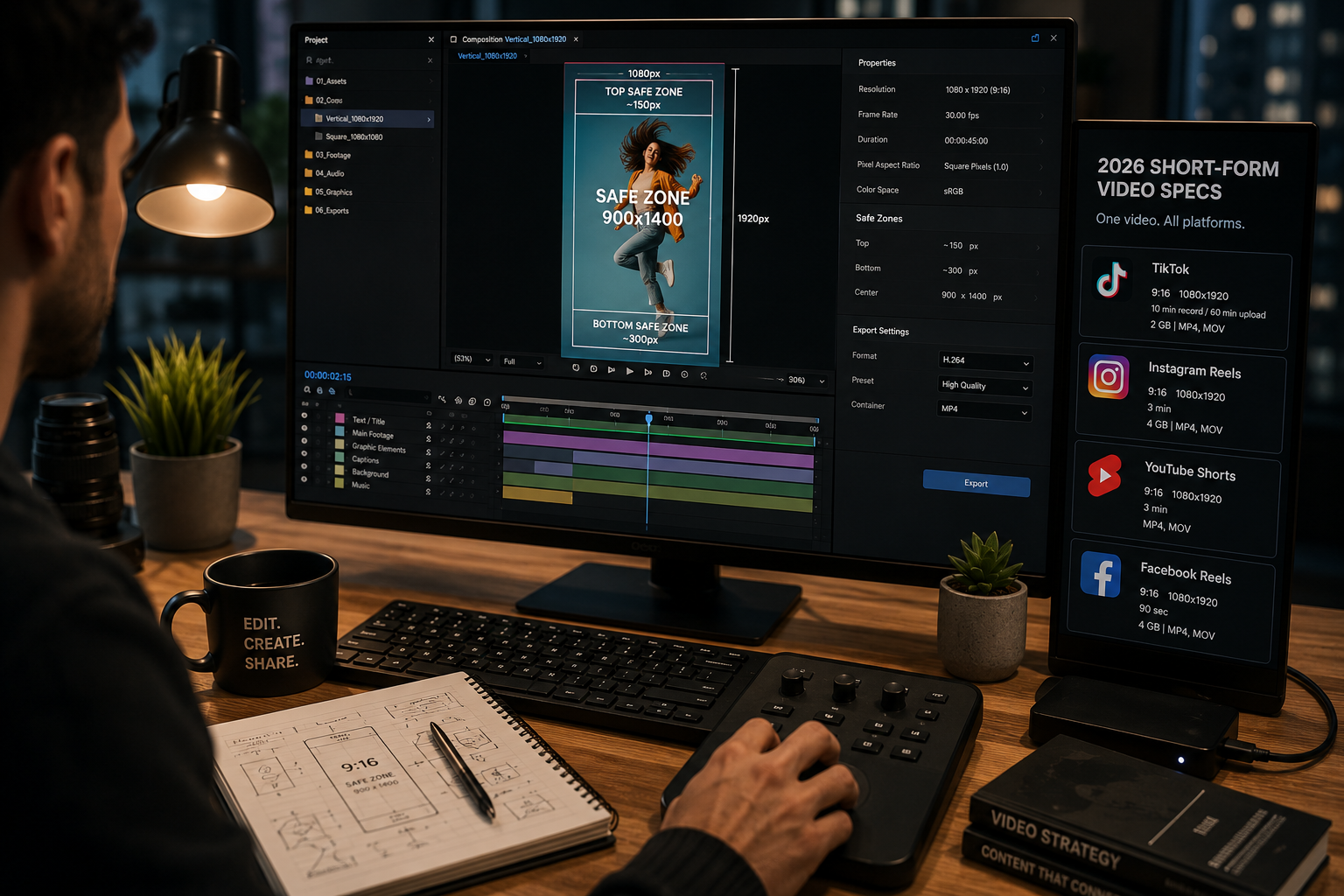
Short-form video in 2026 runs on one shared format: 1080×1920 resolution, 9:16 vertical, across Reels, TikTok, and YouTube Shorts. We build every viral file to these specs, so the numbers here come from production, cross-checked against current platform documentation. The platforms differ on duration limits, file size caps, and where their interface covers the frame. One 9:16 export at 1080×1920 covers all three. This sheet gives the full specification per platform, the safe zones that keep text visible, and the single safe zone that works everywhere.
Every major short-form platform shares 9:16 vertical at 1080×1920, and the differences are duration and file size. The table maps the full specification.
Every major short-form platform shares 9:16 vertical at 1080×1920, and the differences are duration and file size. The table maps the full specification.
| Platform | Aspect ratio | Resolution | Max duration | Max file size | Format |
| TikTok | 9:16 | 1080×1920 | 10 min record / 60 min upload | 2 GB | MP4, MOV |
| Instagram Reels | 9:16 | 1080×1920 | 3 min | 4 GB | MP4, MOV |
| YouTube Shorts | 9:16 | 1080×1920 | 3 min | standard upload | MP4, MOV |
| Facebook Reels | 9:16 | 1080×1920 | 90 sec | 4 GB | MP4, MOV |
The single most useful fact on this page is the shared shape. One 9:16 export at 1080×1920 uploads natively to all four platforms with no reformatting. The platforms diverge only at the edges of duration and file size. Open files built to these specs sit in our library of After Effects project files.
Uploading anything other than 9:16 to a vertical feed triggers letterboxing and reduced distribution.
The vertical shape is a ranking factor, not only an aesthetic choice.
A horizontal 16:9 video posted to TikTok or Reels gets black bars that waste roughly 60 percent of the screen. The algorithm reads letterboxed content as repurposed and limits its reach. Native 9:16 fills the phone screen, which is how the overwhelming majority of mobile viewing happens. The platforms accept other ratios and quietly penalize them.
Each platform overlays buttons and text on the frame edges, so key content belongs in the center away from those zones. The interface covers predictable regions on every platform.
Each platform overlays buttons and text on the frame edges, so key content belongs in the center away from those zones. The interface covers predictable regions on every platform.
| Platform | Bottom danger zone | Top danger zone |
| TikTok | ~300 px (caption, music, buttons) | ~150 px (profile, audio) |
| Instagram Reels | ~250 px | ~120 px |
| YouTube Shorts | ~200 px | ~80 px (channel info) |
The right edge holds engagement buttons on every platform. Text, logos, faces, and calls to action pushed into these regions disappear behind the interface. Designing inside the safe center keeps every element visible.
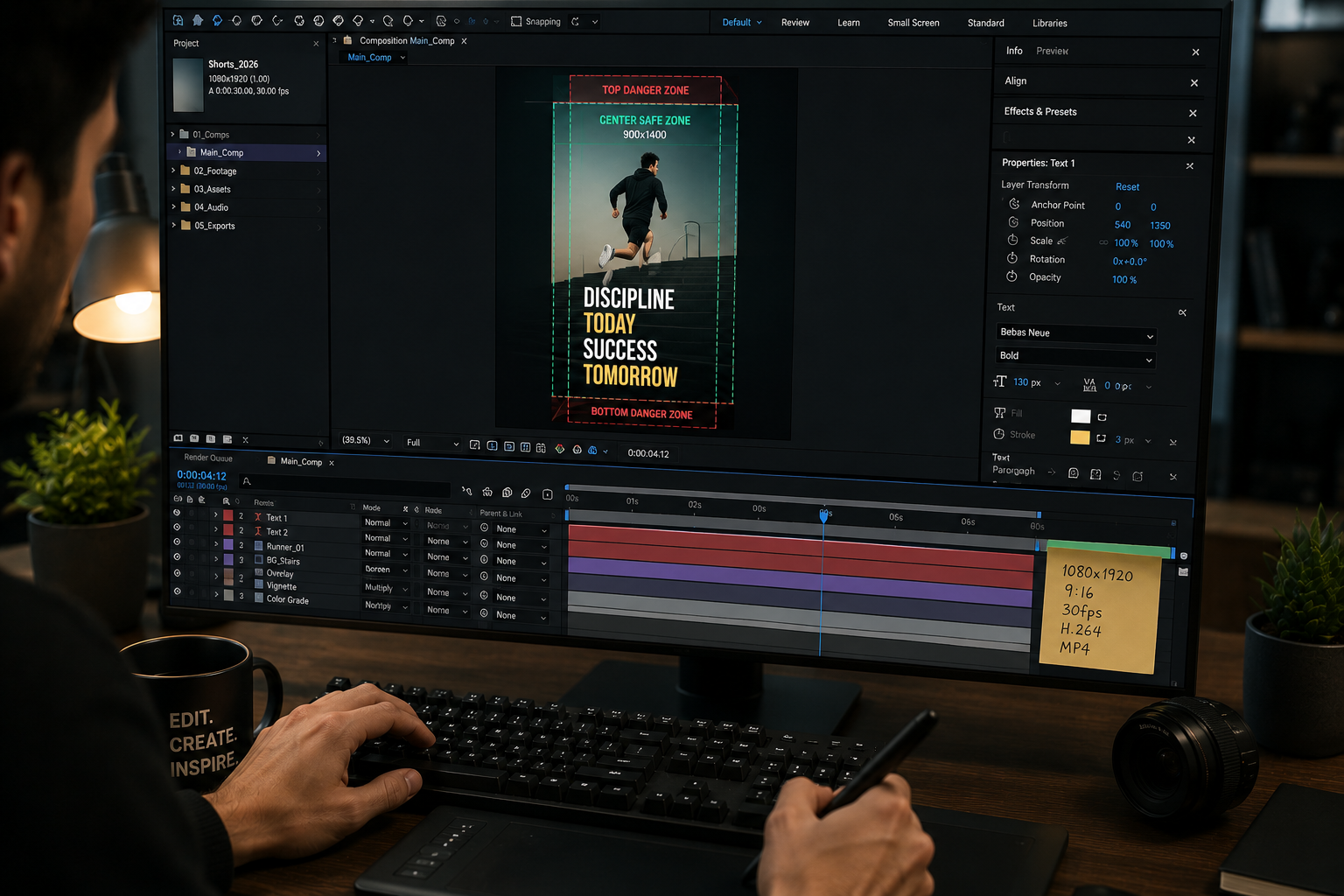
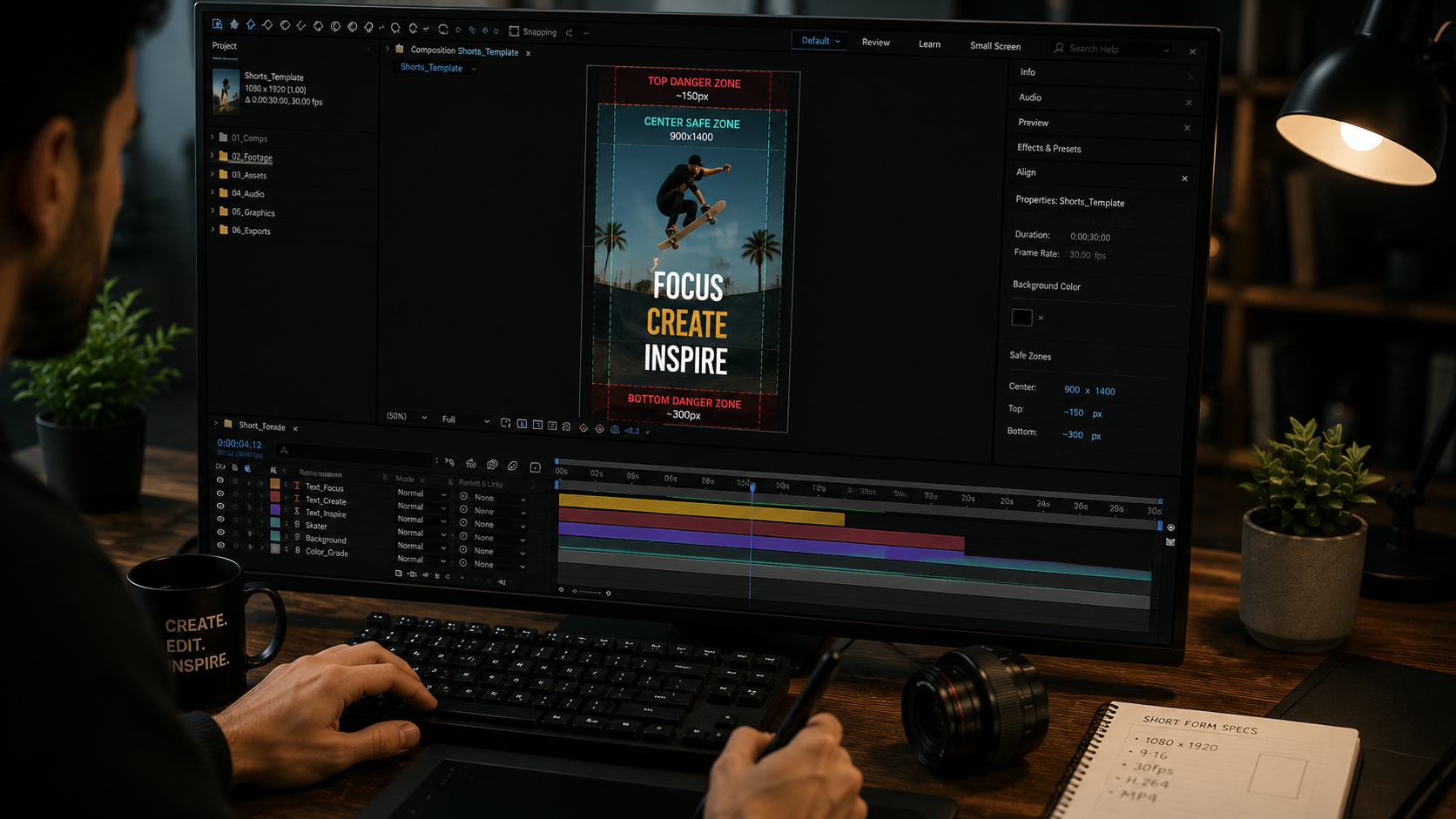
A center box of roughly 900×1400 pixels inside the 1080×1920 frame stays clear on every short-form platform. This is the single most practical number for cross-platform work.
Keep all text, logos, faces, and calls to action inside that center box. Content built within those boundaries displays correctly on TikTok, Reels, Shorts, and Facebook Reels with no per-platform adjustment. Designing for the worst-case safe zone once removes the repositioning work for each destination. Our viral project files build to this center-safe framing by default. The full format breakdown sits in our guide to viral After Effects project files for social media.
Short-form video exports at 30 frames per second in H.264, inside an MP4 container. The core delivery format is consistent across platforms.
30fps is the standard and produces stable, correctly-sized files. 24 and 25fps are accepted, and 60fps suits high-motion content on YouTube Shorts. H.264 balances quality and file size, and every platform accepts it natively. The complete export configuration sits in our guide to After Effects export settings for social media. That guide covers bitrate and the file size ceilings that protect quality.
More than 70 percent of short-form viewers watch with sound off in the feed, so captions carry the content. Captions moved from accessibility feature to primary content channel.
A muted video with no captions loses its message before the sound-on viewers arrive. Captions belong in the safe center, clear of the bottom danger zone where the platform stacks its own text. The caption is often the hook, and the hook decides the scroll. The skill of building hooks and captions is covered in our guide to learning After Effects for viral video editing.
YouTube Shorts now allows up to 3 minutes, extended from the original 60 seconds, and many guides still show the old limit. Duration limits shifted, and stale sheets carry wrong numbers.
Shorts extended to 3 minutes, Reels sits at 3 minutes, TikTok reaches 60 minutes on upload, and Facebook Reels caps at 90 seconds. A specification sheet is only useful while current, which is why the numbers here are dated to 2026 and verified against platform documentation. Older sheets showing a 60-second Shorts cap predate the change.
1080x1920 pixels at a 9:16 aspect ratio is the standard for Reels, TikTok, and YouTube Shorts. The single export uploads natively to all three platfoms.
Yes. A 9:16 export at 1080x1920 uploads natively to all three. No reformatting is required. The platforms share the shape and differ only in duration and file size.
A center box of roughly 900x1400 pixels inside the 1080x1920 frame stays clear on every platform. Keeping text and key content inside that box avoids the interface overlay.
Up to 3 minutes, extended from the original 60 seconds. Many older guides still show the 60-second limit, which is outdated.
30 frames per second is the standard. It produces stable files at the correct size, and 60fps suits high-motion YouTube Shorts content.

Explore more guides on After Effects project files and viral editing workflows.
Production-ready edits that teach you how they were built.