Introducing Frame War
Submit your best edit, make it into the Top 3, and compete for the monthly Frame War reward. The winner receives cash plus exposure across EarnEdits community channels.

PRODUCT CATEGORIES
Submit your best edit, make it into the Top 3, and compete for the monthly Frame War reward. The winner receives cash plus exposure across EarnEdits community channels.
 Back
Back

 Jul 27, 2026
 Muhammad Sikandar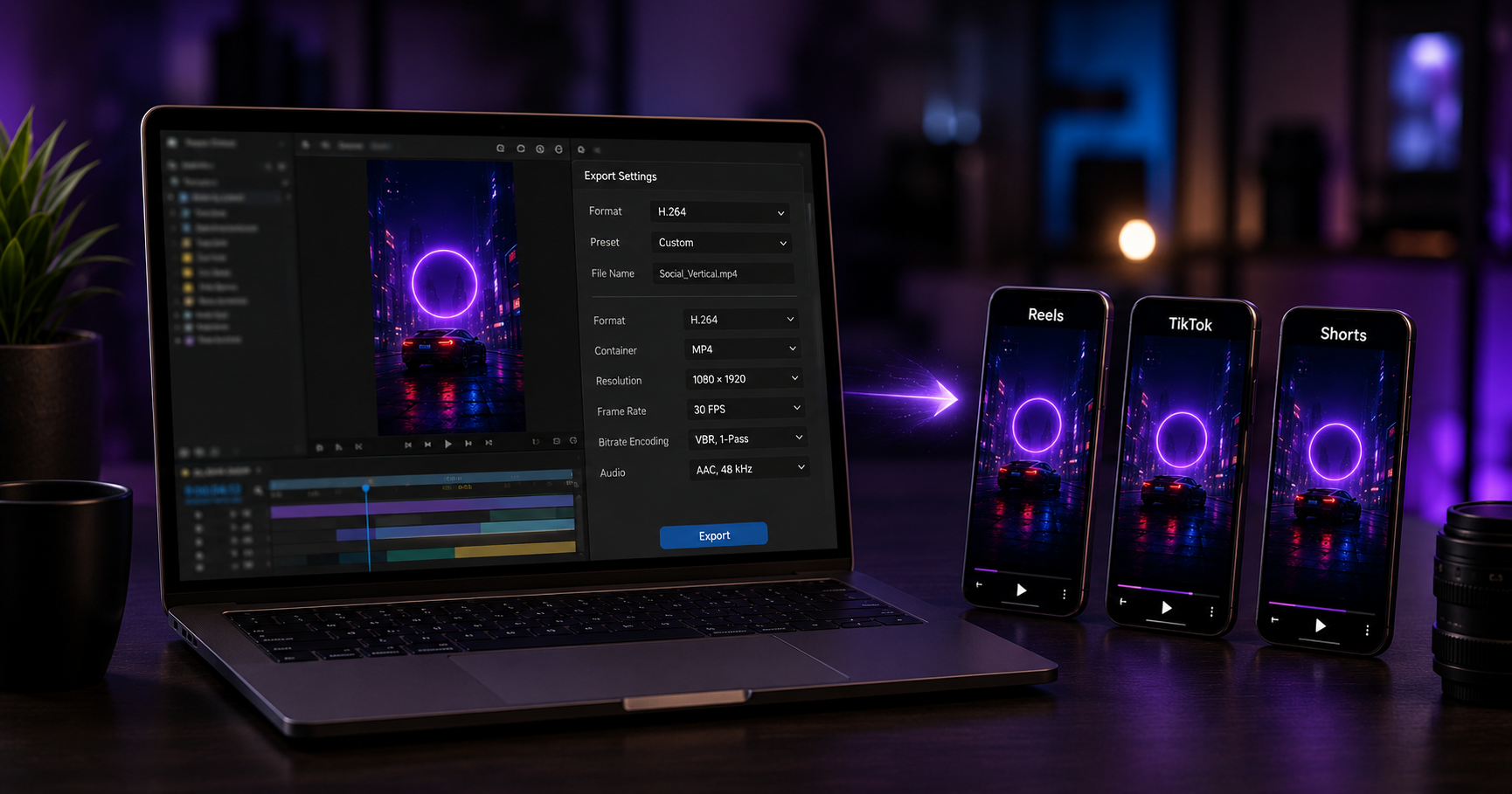
The correct After Effects export for short-form social is 1080×1920 resolution, H.264 codec, 30 frames per second, and a bitrate between 10 and 20 Mbps, delivered through Adobe Media Encoder. We export files like these every week, and the settings below come from that production experience.
The specification table gives the exact numbers per platform. The sections after it cover three decisions. The render route changes quality, the audio settings most editors miss, and the file size ceiling protects the upload. Get the settings right once, and every export after clears the platform without quality loss.
Every short-form platform shares the same core: 1080×1920, H.264, 30fps, AAC audio, and the differences sit in bitrate and file size ceilings. The table maps the settings we use per platform.
| Setting | Instagram Reels | TikTok | YouTube Shorts |
| Resolution | 1080×1920 | 1080×1920 | 1080×1920 |
| Aspect ratio | 9:16 | 9:16 | 9:16 |
| Codec | H.264 | H.264 | H.264 |
| Frame rate | 30 fps | 30 fps | 30 fps |
| Video bitrate | 10-15 Mbps | 15-20 Mbps | 12-20 Mbps |
| Audio | AAC, 48kHz, 192 kbps | AAC, 48kHz, 192 kbps | AAC, 48kHz, 192 kbps |
| Max file target | Under 250 MB | Under 150 MB | Under 500 MB |
| Container | MP4 | MP4 | MP4 |
The bitrate ranges look generous on purpose. Every platform re-encodes the upload, so a cleaner source gives the platform encoder better material to work from. We treat these numbers as floors, not ceilings.
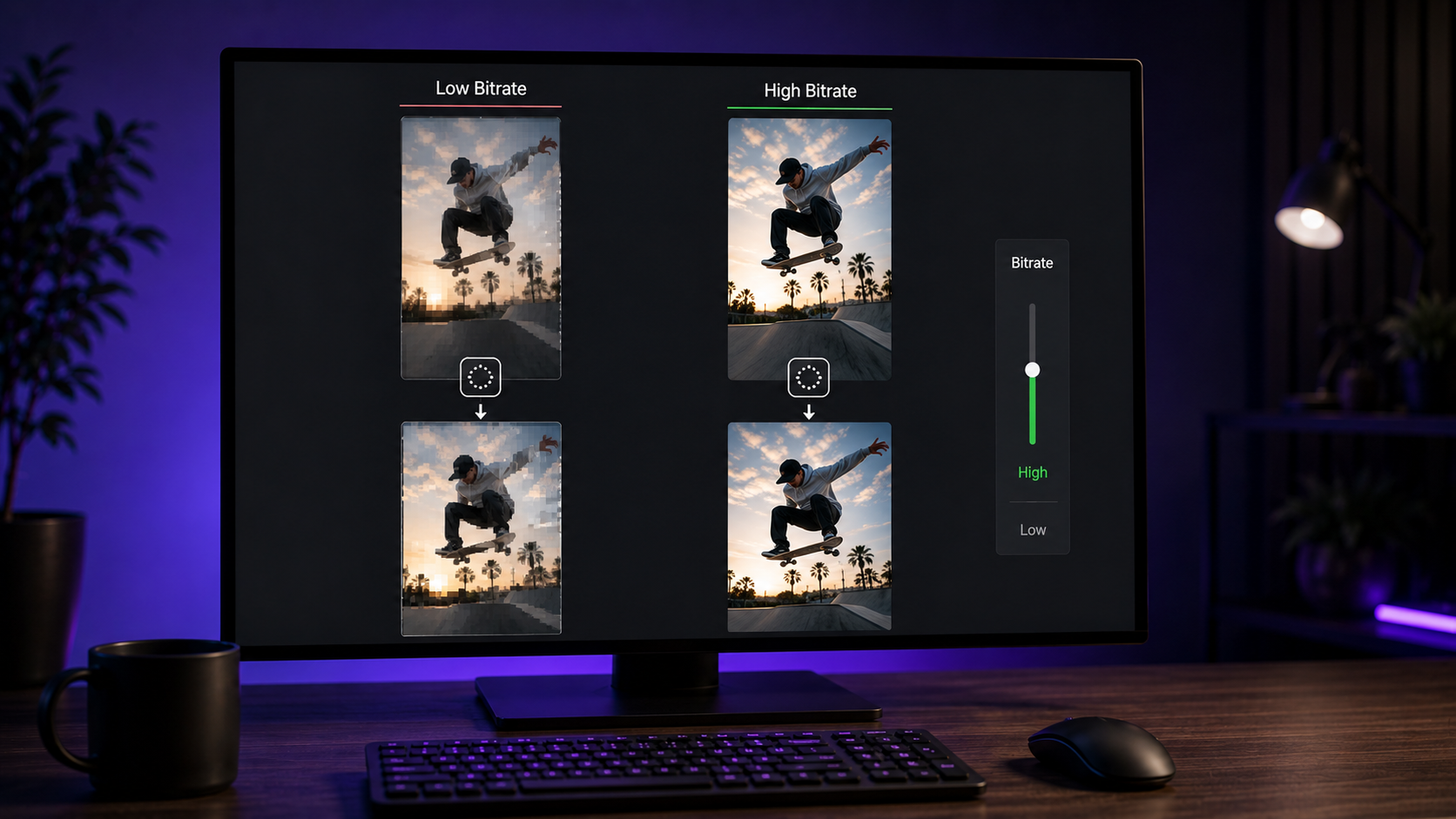
Bitrate and file handling decide social video quality more than resolution, because every platform re-encodes the upload. A person uploads 1080×1920. The platform does not serve that file. The platform runs the upload through its own encoder and serves the result.
Platform re-encoding is where quality lives or dies. A high-bitrate 1080p upload survives re-encoding with detail intact. A low-bitrate upload arrives already compressed, and the platform compresses the compression. We upload above the minimum bitrate for exactly this reason: headroom for the platform to cut.
Keeping a TikTok upload under 150 MB avoids the heavier preprocessing pass that degrades larger files. This is the detail most export guides skip. Adobe’s own community guidance confirms it: files above the platform threshold trigger aggressive preprocessing, and the video that looked sharp on upload degrades within hours.
The fix has two parts. Enable the platform’s HD upload toggle where one exists. Keep the file under the platform ceiling in the table above. We hit the ceiling by adjusting bitrate, not resolution, because dropping resolution costs more visible quality than trimming bitrate does. A 20-second vertical edit at 15 Mbps lands well under 150 MB with room to spare.
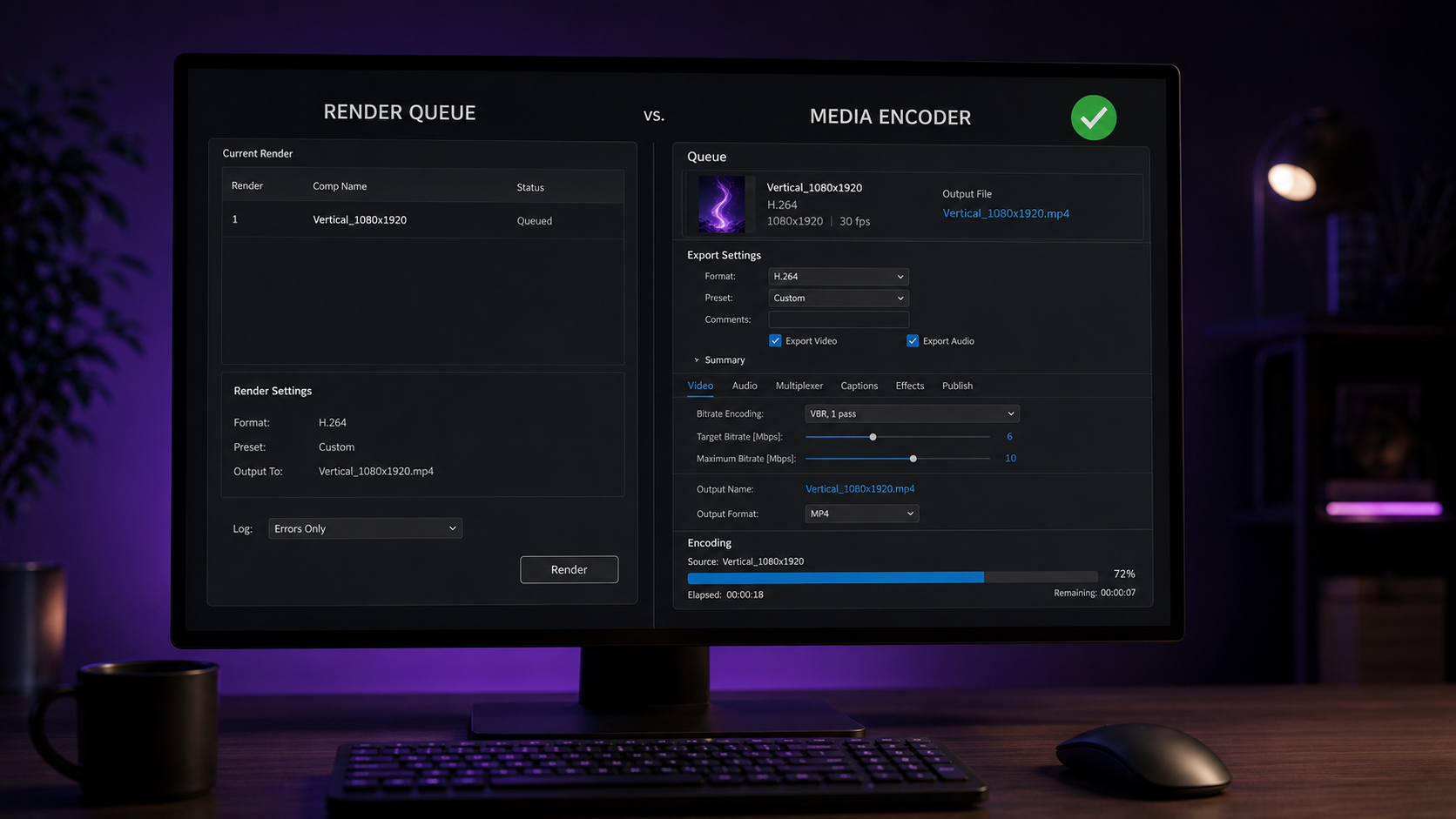
Adobe Media Encoder is the correct export route for social delivery, not the After Effects Render Queue. Newer After Effects versions offer H.264 directly in the Render Queue, and the option works. We still route social exports through Media Encoder for three reasons.
The VBR setting that matters
Set the bitrate encoding to VBR, 1-pass for social uploads, and reserve 2-pass for a final master. Variable bitrate allocates data to the complex frames that need it. One pass is enough for a file the platform re-encodes anyway. Two-pass doubles render time for a quality gain the platform compression erases.
A vertical export starts with a 1080×1920 composition, built before the export stage. An export cannot fix a composition framed for 16:9. The vertical frame is a build decision, not an export decision.
A project built at 1080×1920 from the start exports clean. A project built at 16:9 needs a new 1080×1920 composition with the key elements reframed inside the safe zones. The files in our viral After Effects project files category ship pre-built at 1080×1920, which removes the reframing step entirely. The full skill path for building vertical edits sits in our guide on learning After Effects for viral video editing.
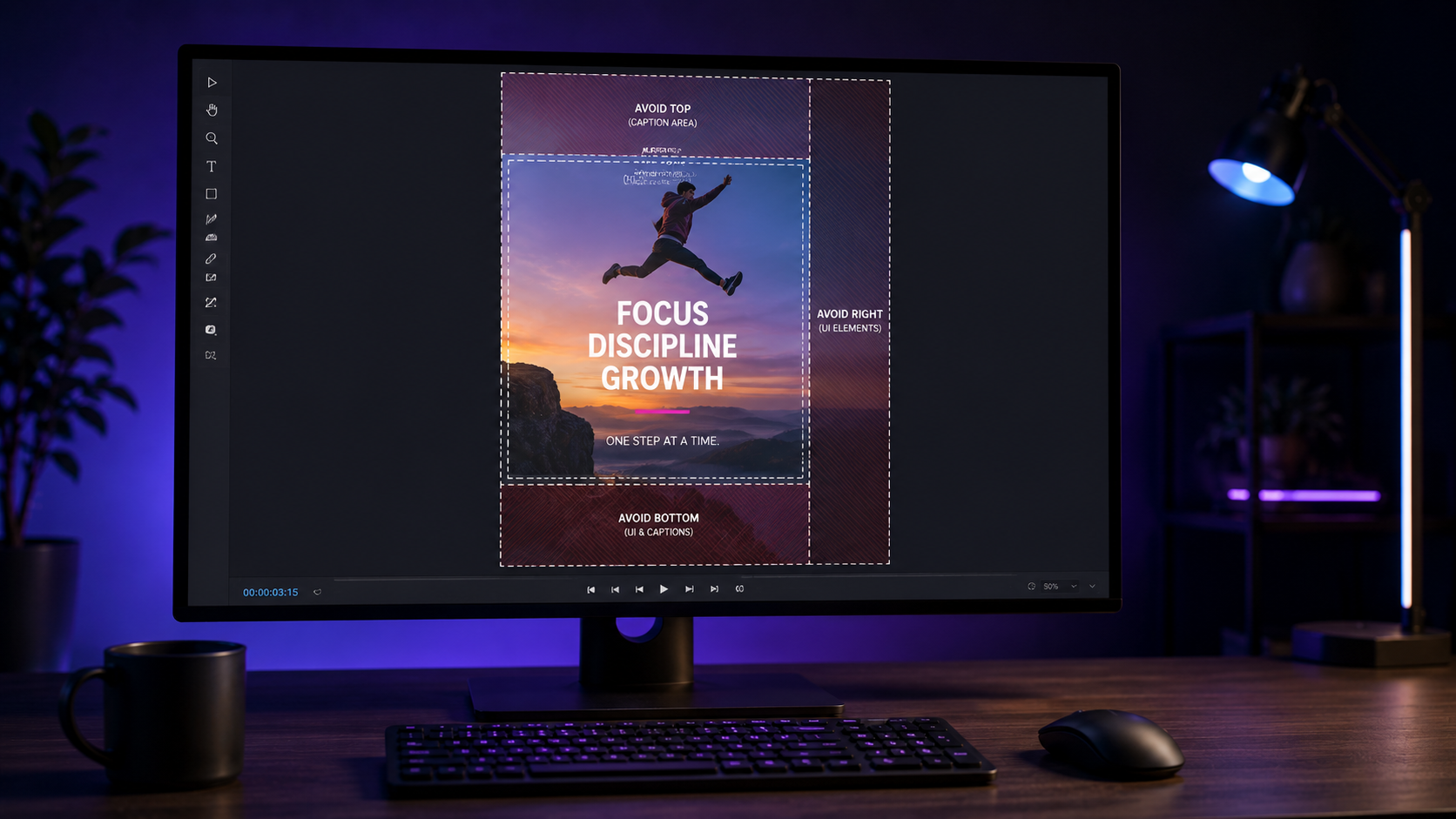
Platform interface elements cover the edges of a vertical frame, so key content belongs in the middle 80 percent. Captions, buttons, and profile details sit over the video on every platform. Content pushed to the edges disappears behind them.
The safe practice keeps text and critical action inside the center. The bottom holds the caption and platform UI. The right side holds the engagement buttons. We frame every key element clear of both zones, which our pre-built vertical files handle by design. The wider format and platform breakdown sits in our guide to viral After Effects project files for social media.
Social audio exports as AAC at 48kHz and 192 kbps, and the sample rate is the setting most editors leave wrong. Video settings get the attention. Audio gets a default that often sits at 44.1kHz or a low bitrate.
The correct audio makes a measurable difference on music-driven edits. AAC at 48kHz matches the platform standard. A 192 kbps rate preserves the track through re-encoding. Beat-synced edits carry their impact through upload only when the audio starts clean.
The core settings hold across platforms, and only bitrate and file ceiling change by destination. The decision comes down to the delivery target.
| The goal | The adjustment |
| Maximum Reels quality | 15 Mbps, under 250 MB, HD upload on |
| Stable TikTok quality | Under 150 MB, 15-20 Mbps, Upload HD on, 30fps |
| Sharp YouTube Shorts | 12-20 Mbps, higher ceiling allows more headroom |
| One export for all three | 1080×1920, H.264, 15 Mbps, under 150 MB |
The last row is the practical answer for most editors. One export at 1080×1920, H.264, 15 Mbps, under 150 MB, clears all three platforms.
H.264 in an MP4 container is the standard for every major short-form platform. The codec balances quality and file size, and every platform accepts it natively. We export H.264 for all social delivery.
30fps is the standard for short-form social and produces smaller, more stable files. 60fps suits high-motion content on YouTube Shorts. For Reels and TikTok, 30fps is the reliable choice, and TikTok specifically handles 30fps files best.
Files above 150 MB trigger heavier TikTok preprocessing that degrades quality within hours. Keeping the file under the ceiling and enabling Upload HD prevents most of the drop. The platform still re-encodes, so a clean high-bitrate source matters.
4K adds file size without reliable quality gain on platforms that re-encode to their own standard. A well-exported 1080x1920 file at a strong bitrate serves short-form better than a heavy 4K upload the platform compresses down anyway.
Media Encoder is the recommended route for social exports. It gives better bitrate control, background rendering, and consistent output. Send the composition to Media Encoder from After Effects and the H.264 options appear there.

Explore more guides on After Effects project files and viral editing workflows.
Production-ready edits that teach you how they were built.