Introducing Frame War
Submit your best edit, make it into the Top 3, and compete for the monthly Frame War reward. The winner receives cash plus exposure across EarnEdits community channels.
Submit your best edit, make it into the Top 3, and compete for the monthly Frame War reward. The winner receives cash plus exposure across EarnEdits community channels.
 Back
Back

 Feb 26, 2026
 Muhammad Sikandar
The best After Effects project files for beginners are short, organized, open .aep files with labeled layers, color controls, and native effects, and the 9 picks below meet every criterion. Each pick links to the open file, so the study starts the same day. The 5-check test after the picks separates files that teach from files that frustrate. The 4-stage study method turns the first file into real skill instead of passive browsing. Beginners who start with one organized file and the rebuild practice reach their first finished edit inside 4 weeks.
The picks below are curated for learning first and production second, which is the opposite of how template roundups choose. Every file opens with full timeline access, so the beginner studies the build, not only the output.
The selection method behind the list stays simple and repeatable. Every candidate file went through the 5-check test covered later on this page. The checks cover labeled layers, an organized Project Panel, native effects or documented plugins, color controls, and short composition length. Files passing all five checks qualified. Files failing any check stayed off the list regardless of sales performance. A beginner list earns trust only when every pick opens clean on a fresh installation.
| # | Pick | Style | Core techniques taught | Access |
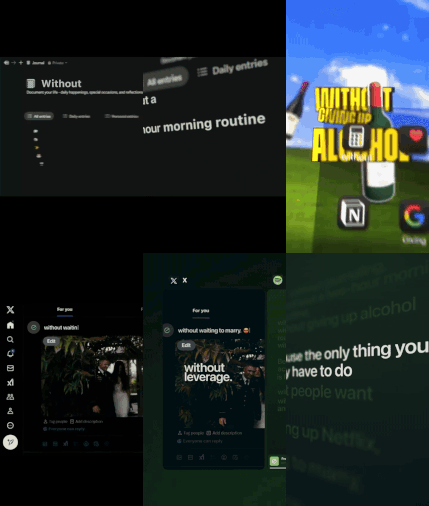
| 1 | Learn After Effects with Real Project Files | Viral edit | Keyframing, beat sync, text choreography | Open file |
| 2 | How to Use the Project File | Walkthrough | File navigation, customization workflow | Free tutorial |
| 3 | Stop Starting From Scratch | Viral edit | Hook structure, pacing, layer organization | Open file |
| 4 | 3 After Effects Effects | Viral edit | Native effect stacking, transitions | Open file |
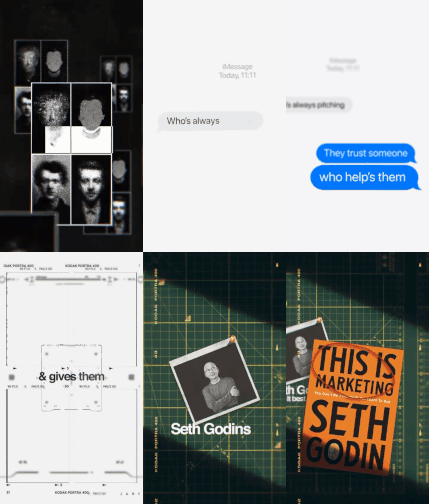
| 5 | People Buy Purpose | Brand storytelling | Narrative pacing, typography animation | Open file |
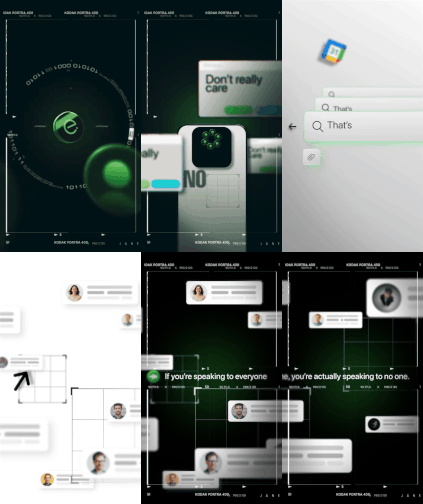
| 6 | Notion SaaS UI Animation Explainer | SaaS UI | Shape layers, micro-interactions | Open file |
| 7 | Google Drive SaaS UI Animation | SaaS UI | Interface motion, clean easing | Open file |
| 8 | Stay Here 4 Life Lyric Edit | Mo-graph | Audio-synced text, rhythm keyframing | Open file |
| 9 | Wise: Money Without Borders | Brand storytelling | Fintech pacing, smooth transitions | Open file |
1. Learn After Effects with Real Project Files
The name states the method, and the file delivers it: a viral-style edit built for deconstruction. The Learn After Effects with Real Project Files viral edit exposes the keyframe choreography, the beat-synced transitions, and the text animation behind a finished short-form edit. Beginners study the timeline section by section, then rebuild one technique per session. The file works as the first deconstruction target on the learning path.
2. How to Use the Project File (Free)
The free walkthrough tutorial covers the full beginner workflow before any purchase. The lesson demonstrates downloading assets, opening the .aep, editing text and colors, and rendering the final video. Watching the walkthrough first removes the navigation friction that stalls most first sessions. The tutorial lives in the free tier of the After Effects tutorials library, alongside the AI workflow series.
3. Stop Starting From Scratch
The file teaches hook structure and pacing, the two skills short-form editing rewards most. The Stop Starting From Scratch project file is built around the editor-workflow narrative, with organized layers a beginner reads top to bottom. The pacing decisions inside the timeline show why each cut lands where it lands.
4. 3 After Effects Effects
The file isolates three native effects inside one viral edit, which makes it the cleanest effect-study pick on the list. The 3 After Effects Effects viral edit demonstrates effect stacking without plugin dependencies. Beginners open the effect controls on each layer and read exactly how the stack was configured.
5. People Buy Purpose
The file teaches brand storytelling pacing through the most-viewed product in the library. The People Buy Purpose viral edit combines narrative structure with typography animation. The typography layers reward close study: tracking, scale, and timing choices carry the storytelling weight.
6. Notion SaaS UI Animation Explainer
The file suits beginners heading toward software and product-explainer work. The Notion SaaS UI animation explainer demonstrates shape layer construction and micro-interaction timing. Interface motion runs on cleaner, slower easing than viral edits, which makes the keyframes easier to read on a first pass.
7. Google Drive SaaS UI Animation
The file pairs with the Notion pick as a second interface-motion study. The Google Drive SaaS UI animation covers dashboard motion and app-interface transitions. Studying two files in the same style reveals the repeatable patterns, which is where interface-animation skill forms.
8. Stay Here 4 Life Lyric Edit
The file introduces audio-synced text animation, the core mo-graph skill. The Stay Here 4 Life premium lyric mo-graph edit demonstrates rhythm-driven keyframing against a music track. The lyric format makes the beat relationship visible: every text hit sits on an audio peak the beginner reads directly in the waveform.
9. Wise: Money Without Borders
The file teaches brand-campaign pacing in a second storytelling style. The Wise Money Without Borders project file covers fintech brand storytelling with smooth transition work. Pairing it with People Buy Purpose shows how the same narrative structure adapts across two different brand voices.
Five checks separate a project file that teaches from a file that frustrates, and every check takes under one minute. Run the test on any file before study time gets committed.
Check 1: Labeled Layers
Labeled layers turn the timeline into a readable document. A file with layers named “Hook Text,” “Beat Marker,” and “Logo Reveal” teaches by its structure. A file with fifty layers named “Layer 1” through “Layer 50” teaches nothing. The label check takes 30 seconds: open the main composition and read the first ten layer names. Descriptive names across all ten predict a file built for handoff and study. Generic names predict a private working file exported without cleanup.
Check 2: Organized Project Panel
Folder structure in the Project Panel tells the beginner where everything lives before the timeline opens. Footage, pre-compositions, adjustment layers, and audio sit in separate folders in a well-built file. Panel organization also teaches transferable habits. A beginner who studies three organized files starts organizing their own projects the same way, and organized projects revise faster on every future client job.
Check 3: Native Effects or Documented Plugins
Files running on native After Effects effects open and work on a fresh installation. Files depending on undocumented paid plugins break on open. The acceptable alternative is a file that lists every plugin requirement upfront. Native-effect files carry a second teaching benefit. Every effect in the stack is studyable inside standard After Effects, with no third-party interfaces hiding the configuration. The beginner reads exactly how motion blur, glow, and color treatments were built.
Check 4: Color Controls
A color control panel lets one parameter change cascade across the whole composition. The control panel doubles as an expressions lesson: the beginner sees how value linking drives the cascade. Files without color controls demand layer-by-layer color edits, which adds 15 to 25 minutes to every customization pass. The presence of a control panel is the single fastest quality signal when evaluating an unfamiliar file.
Check 5: Short Composition Length
Compositions between 15 and 30 seconds concentrate technique density. Short files hold one study session. Long files exhaust attention before the rebuild stage. Short compositions also match the short-form output most beginners target, so the study format and the production format stay identical from day one.
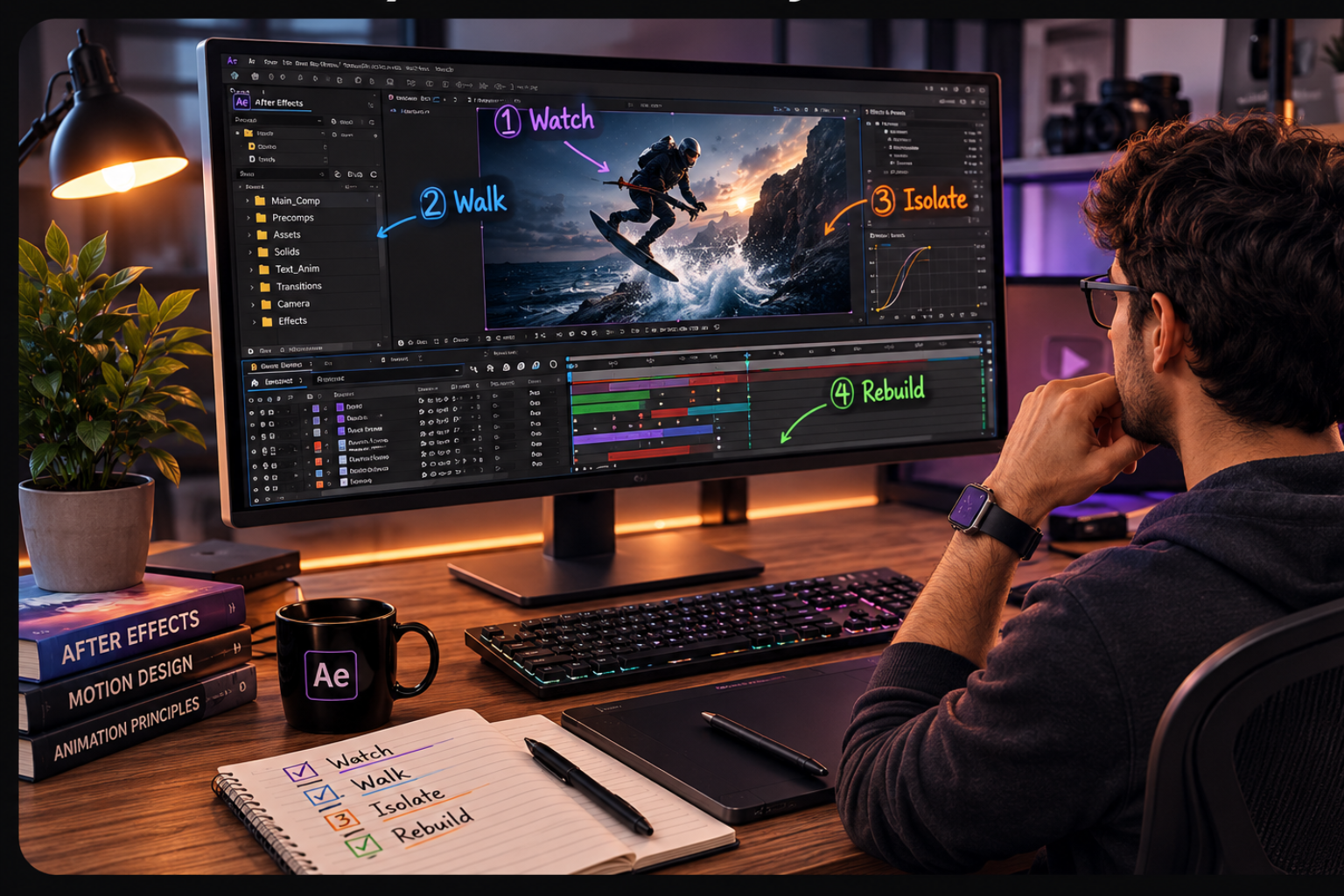
The 4-stage method converts a downloaded file into skill: watch, walk, isolate, rebuild. Beginners who skip straight to editing break the motion logic without understanding it.
Stage 1: Watch. Play the final render 3 to 5 times before opening the project. Mark the moments that catch attention: a transition, a text reveal, a camera move. Those moments become the study targets, and picking them before opening the file keeps the session focused.
Stage 2: Walk. Move through the timeline start to finish without changing anything. Read the layer names, the folder structure, and the precomp nesting. The walk builds a mental map of the build before any technique study begins.
Stage 3: Isolate. Solo the layers behind one marked moment. Study the keyframes, open the graph editor, and read the easing curves. One technique per session beats surveying the whole file shallowly.
Stage 4: Rebuild. Close the reference and rebuild the isolated technique in a fresh composition from memory. Rebuilding converts recognition into skill, and the rebuild stage is the one beginners most often skip.
The rebuild stage carries the learning. Recognition fades within days, and rebuilt skill persists. The complete method with session structures lives in our guide on how to study AE project files efficiently. The full milestone path from first file to client-ready skill sits in the guide to learning After Effects with real project files.
Viral edits suit most beginners because the projects are short, vertical, and technique-dense. One viral file covers hooks, beat sync, text animation, and transitions in a single 30-second timeline. The viral After Effects project files category carries the largest beginner-appropriate inventory.
SaaS UI animation suits beginners targeting software clients from day one. Interface motion runs slower and reads easier, and the client market for product explainers stays steady. The two SaaS UI picks above pair deliberately: studying two files in one style exposes the repeatable patterns behind the style.
Storytelling, retro, and mo-graph styles work better as second styles after the first month. Storytelling files add narrative pacing on top of viral fundamentals. Retro files add grading and grain treatments. Mo-graph files add audio-reactive animation, which rewards the beat-sync foundation the viral path builds first. The style order matters less than the depth rule: one style studied across 3 files beats three styles sampled once each.
Free files serve the first opens, and organized paid files earn their cost at the study stage. The honest comparison sits below.
When free files are the right call
Free files work for testing the After Effects installation and practicing basic navigation. A beginner confirming the software runs, the timeline scrubs, and a render exports loses nothing by starting free. Free sources rarely organize layers or document dependencies, which caps their teaching value.
When a paid file earns its cost
A paid open file earns its cost the moment structured study begins. Labeled layers, color controls, and organized folders are the difference between reading a build and guessing at one. One organized file studied across 4 stages teaches more than twenty disorganized downloads.
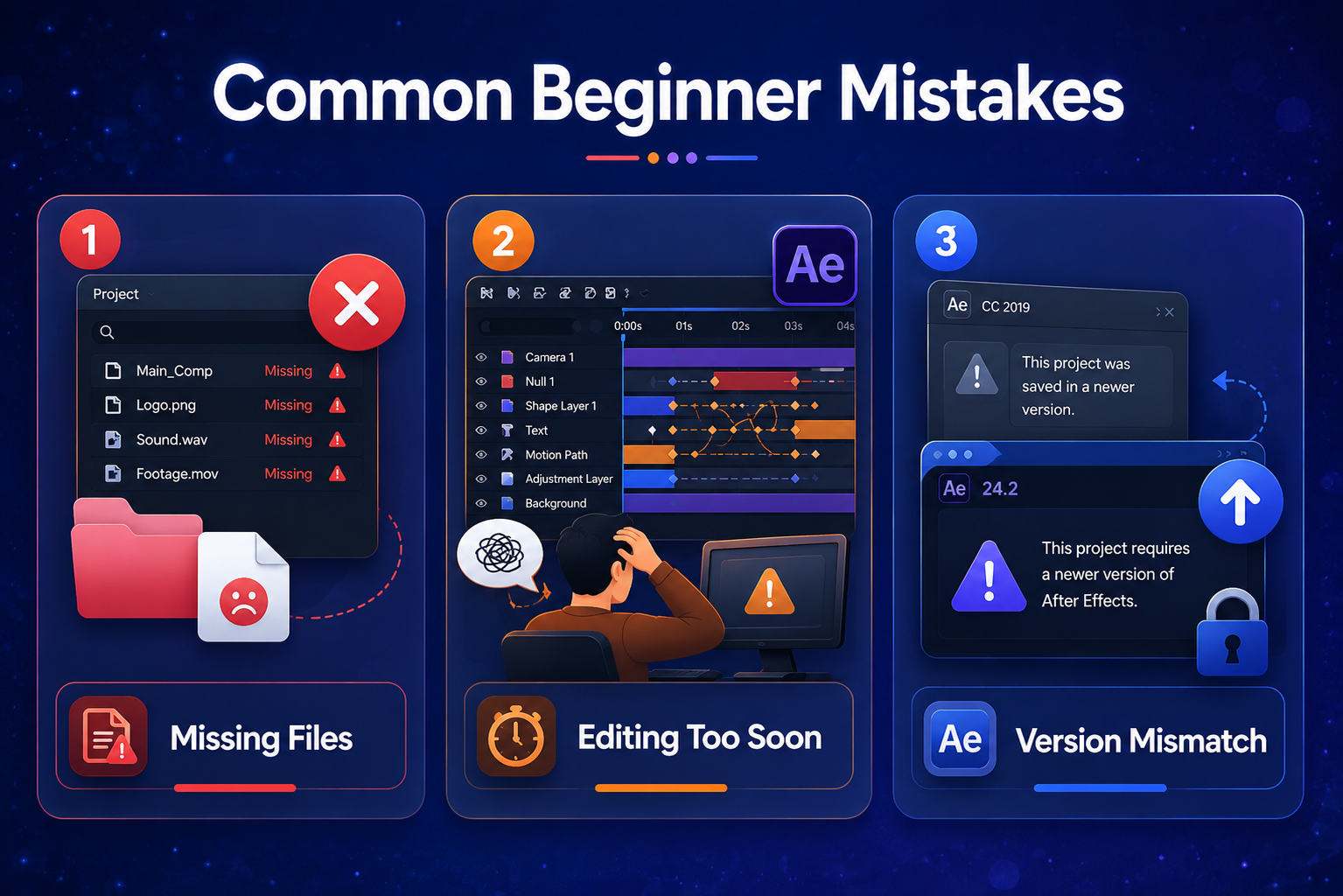
Three mistakes waste most beginner study time, and each has a direct fix.
The full pattern list across the whole workflow lives in the guide to common mistakes using After Effects project files.
Beginner files and advanced files differ in structure, not in quality. Understanding the difference prevents the most common first-purchase mistake: buying an impressive advanced file that teaches nothing.
An advanced file optimizes for output: dense expressions, deep precomp nesting, and plugin chains that produce premium results and unreadable timelines. A beginner file optimizes for legibility: flat structure where possible, documented dependencies, and motion built from readable keyframes. Both are professional. Only one is studyable in month one. The picks above were filtered on legibility first, which is why several high-selling advanced files in the library did not make the list.
EarnEdits files open in After Effects 2023 or later. Updating to the current release removes version friction entirely.
Free files cover navigation practice, and organized open files carry the actual skill building. The teaching value lives in the structure, and structure is what free sources most often lack.
One file per week is the correct pace. One fully deconstructed file teaches more than ten skimmed downloads. Eight to ten files cover the full path from first open to client-ready skill.
A project file opens with full timeline access, and a locked template permits surface edits only. Open project files expose every keyframe, expression, and layer decision, which is what makes them learnable. The distinction is the reason this list contains open files only.
Yes. Every pick on this list doubles as a production file. The same file studied in week one gets customized for a client deliverable in month two. The study investment converts directly into production inventory, which is the core economics of the open-file method.
Tutorials alone build recognition, and project files build recall. Watching a technique creates familiarity that fades within days. Studying and rebuilding the same technique inside an open file creates skill that persists. The strongest path pairs both: the free walkthrough plus one open file per week.
Beginners following the 4-stage method finish a first customized edit inside 4 weeks. Week one covers navigation, week two covers the first deconstruction, week three covers modification practice, and week four covers the rebuild.

Explore more guides on After Effects project files and viral editing workflows.
Production-ready edits that teach you how they were built.