Back
Back

 Feb 27, 2026
 Muhammad Sikandar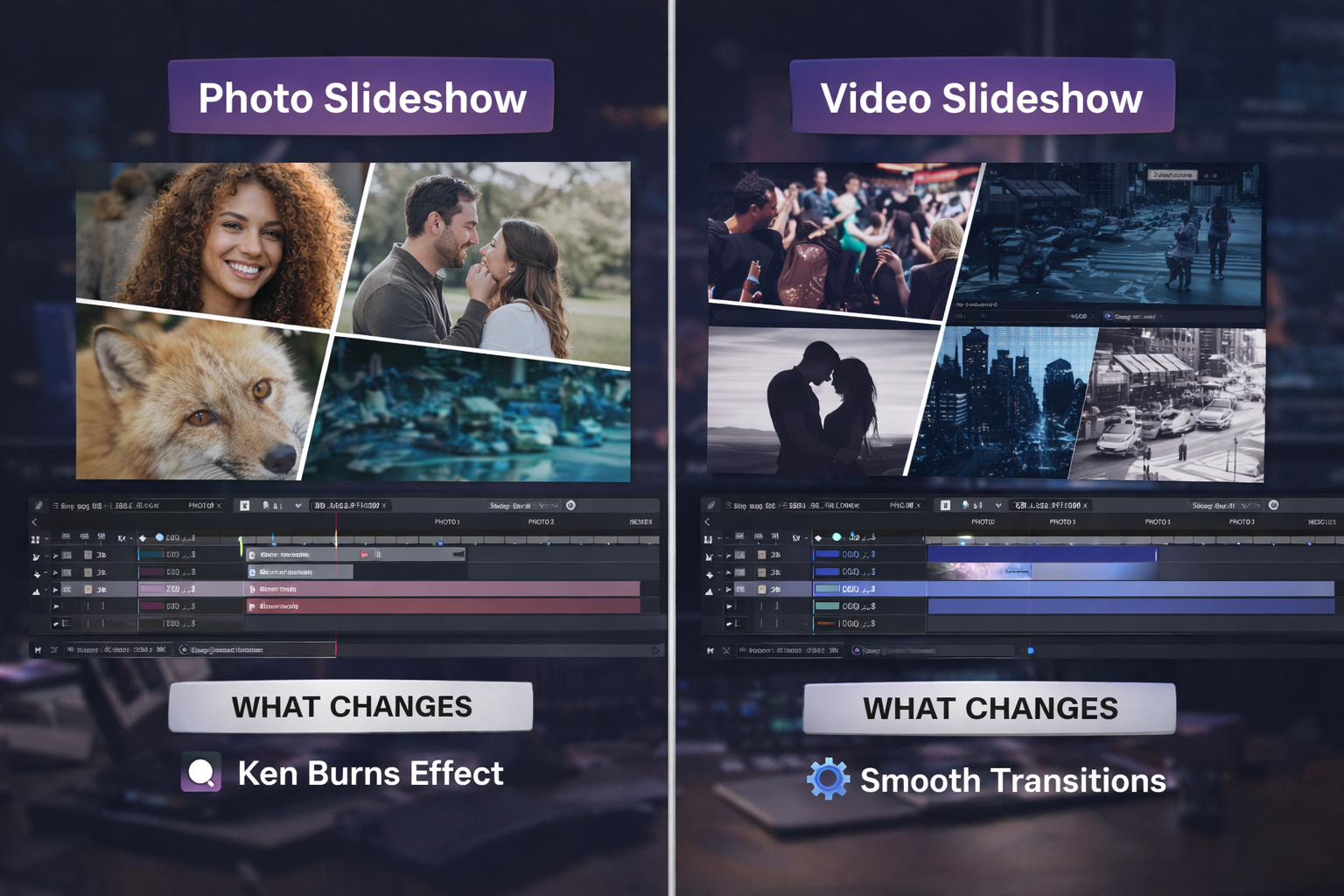
After Effects slideshow templates are split into two categories: photo and video, but the difference goes deeper than which media you drop into the placeholders. Photo slideshow templates inject motion into static images through keyframe animation. Video slideshow templates manage motion that already exists inside each clip. The transition logic, pacing, audio sync, and aspect ratio handling change depending on which type of media the template was built for.
Most marketplace previews don’t make this distinction clear. A template labeled “photo/video slideshow” often works well for one format and awkwardly for the other. This guide breaks down what sets photo and video slideshow templates apart at the project level, so you can pick the right structure before downloading.
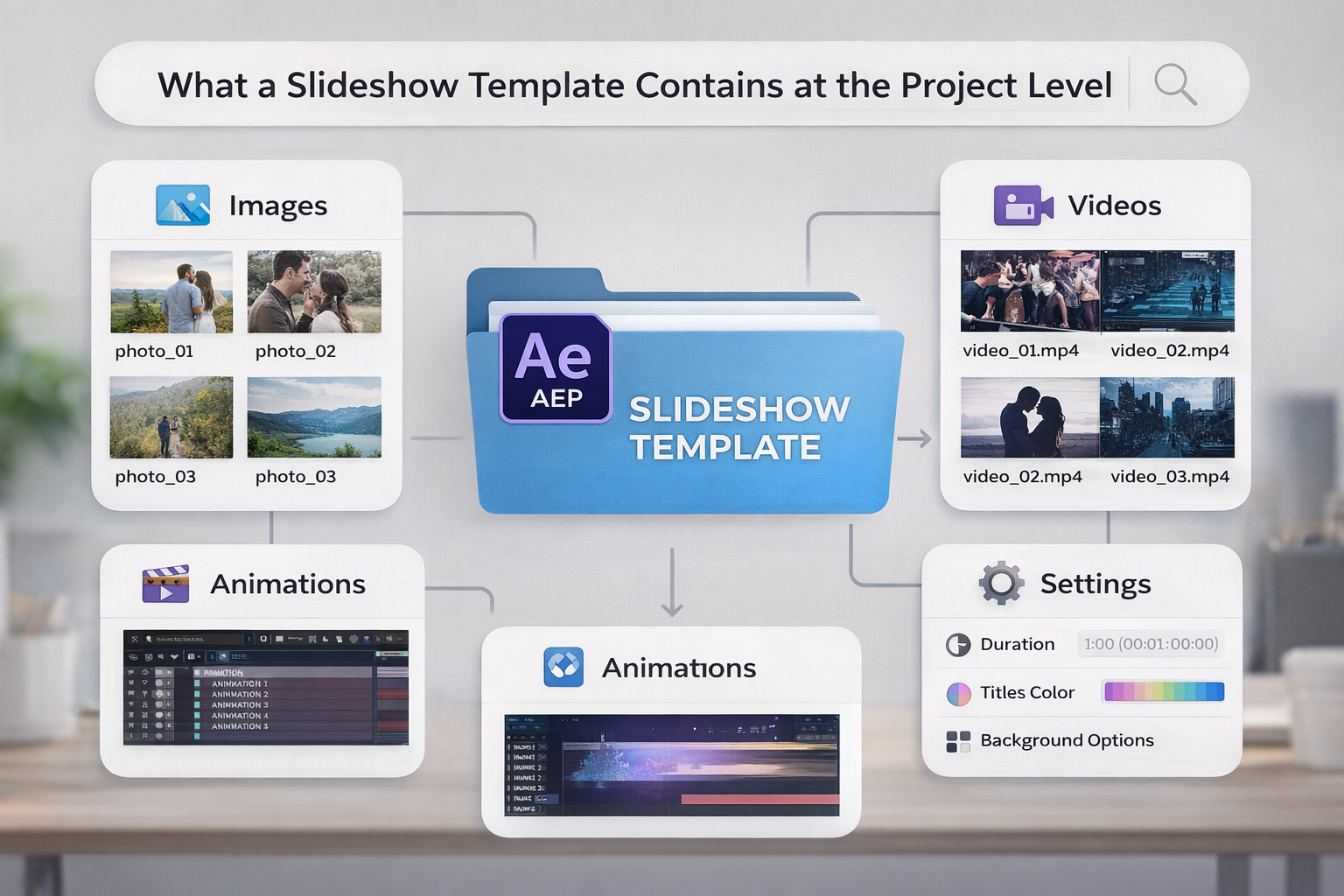
An After Effects slideshow template is a pre-built .aep project file organized around sequential placeholder compositions, transition animations between each slide, and a timeline structure that controls pacing, text overlays, and audio sync across the full sequence.
Each “slide” is a separate composition. It contains a media placeholder, scale and position keyframes, and sometimes masking layers for crop or reveal effects. The master composition chains all slide comps together with transition layers, dissolves, wipes, zooms, or 3D camera moves. Better templates include a control layer, or an Essential Graphics Panel, for adjusting colors, fonts, slide duration, and transition speed globally.
Slide count varies: 20, 30, 50, 100. The question most editors overlook is whether you can duplicate or remove slide compositions. Rigid templates with a fixed count force you to pad with filler images or cut content to fit a detail worth checking before you commit to any project file.
The placeholder structure is identical in photo and video templates. The changes are in the animation logic inside each placeholder, and that’s where the two formats split into different workflows.
Photo slideshow templates inject motion into static images through scale, position, and rotation keyframes, creating the illusion of movement where none exists in the source file.
A photo has zero internal motion. The template manufactures all movement through keyframes applied to a still frame. Every pan, zoom, and rotation is built inside the project, not captured in the source media.
Ken Burns effect is the most common approach, a slow scale from 100% to 110-120% combined with a subtle position drift across the image. This draws the viewer’s eye from one area to another, creating depth from a flat frame.
Parallax depth layering separates the photo into foreground and background layers, each moving at a different speed to create a 3D illusion from a flat image. More complex to build, but the visual result is noticeably richer than standard Ken Burns.
Frame and reveal animations define the template’s visual style. Images slide in from off-screen, reveal through mask wipes, or appear inside shaped frames (polaroid, film strip, circular crop).
Photo slides hold 3-5 seconds per image because the viewer needs time to absorb a still. Transitions run 0.5-1.5 seconds. A 30-slide photo slideshow typically runs 2-3 minutes. Audio sync is music-driven; each transition hits a beat marker on the soundtrack, with no source audio competing for the rhythm.
Video slideshow templates manage motion that already exists inside each clip using masking, blending modes, and speed ramping to control pacing rather than manufacturing movement from scratch.
A video clip already contains internal motion: camera pans, subject movement, and handheld shake. The template works WITH that motion. Transitions that compete with clip movement create visual chaos, which is why video slideshow transitions use different techniques than photo slideshows.
Transition types shift toward energy: whip pans, light leaks, zoom pulls, glitch cuts, 3D camera rotations. These are faster and more aggressive because the viewer’s eye is already tracking motion. Cross-dissolves feel passive between video clips; fast-paced footage needs sharp cuts.
Speed ramping bridges slides by slowing a clip to 50% at its end and accelerating the next clip to 120% at its start. This momentum shift connects two separate pieces of footage. The technique requires temporal frame data; it doesn’t apply to still photos.
Video slides cut at 1.5-3 seconds per clip. Faster than photo slides because motion keeps the viewer engaged without extended hold time. A 30-clip video slideshow runs 1-2 minutes.
Audio layering is more complex. Background music competes with source audio from clips, crowd noise, dialogue, and ambient sound. The template handles muting, ducking, and crossfading per slide, adding mixing work that photo slideshows skip. Video projects at 1080p or 4K also render slower than photo equivalents because After Effects processes temporal blending per frame.
Photo and video slideshow templates share the same placeholder structure but differ in transition design, pacing, audio handling, aspect ratio management, and the type of motion the editor controls.
| Feature | Photo Slideshow Template | Video Slideshow Template |
| Source media | Static images (JPG, PNG, TIFF) | Video clips (MP4, MOV, ProRes) |
| Motion source | Created by template keyframes | Exists inside the clip |
| Core animation | Ken Burns, parallax, frame reveals | Whip pans, light leaks, speed ramps |
| Slide duration | 3-5 seconds per image | 1.5-3 seconds per clip |
| Transition speed | 0.5-1.5 seconds (soft) | 0.3-0.8 seconds (sharp) |
| Audio approach | Beat-synced to music track | Music + source audio layering |
| Aspect ratio challenge | Mixed ratios (4:3, 3:2, 1:1, vertical) | Mostly standardized (16:9 or 9:16) |
| Render demand | Lower static frames | Higher temporal processing per frame |
| Best for | Weddings, portfolios, memories, corporate | Event recaps, promos, social media, YouTube |
Most modern After Effects slideshow templates accept both photos and video clips in the same placeholders. But the animation logic is optimized for one type of media. Photos dropped into a fast-paced video template result in awkward, static frames that flash by before the viewer can absorb them. Video clips in a slow Ken Burns template waste the clip’s internal movement.
Aspect ratio handling differs, too. Photos arrive in unpredictable ratios: 4:3, 3:2, 1:1, 9:1, 6, depending on the camera. A photo template must crop or resize each image per placeholder. Video clips from the same shoot are typically uniform with less cropping work.
The quality of a slideshow template depends on five structural factors that most marketplace previews don’t show.
1. Slide count flexibility. Can you duplicate or remove slide compositions? Fixed-count templates force you to pad with filler or cut content. Check if the project includes duplicatable slide comps with instructions for adding new slides.
2. Placeholder configuration. Are placeholders labeled clearly (Slide_01, Slide_02)? Do they accept both photo and video? Is there a guide layer showing safe crop zones? Color-coded folder systems save hours on large slideshow projects.
3. Transition customization. Can you adjust transition speed and style, or are transitions pre-rendered into video layers? Pre-rendered transitions can’t be modified. Keyframe-based transitions let you adjust the timing, easing, and direction for each slide.
4. Layer accessibility. Are layers unlocked and named, or are core animations buried behind nested pre-comps? This is the same openness spectrum that separates locked templates from editable project files, which applies directly to slideshow projects.
5. Aspect ratio support. Does the template include compositions for both 16:9 and 9:16? If you’re producing for Reels, TikTok, or Shorts, a 16:9-only template means you’ll have to rebuild the layout from scratch.
No Pre-Rendered Shortcuts. No Rigid Slide Counts.
Every EarnEdits slideshow project includes editable layers, customizable slide compositions, and adjustable keyframe-based transitions, empowering editors to personalize their creations fully.
Browse Slideshow Projects →
The choice between a photo slideshow template and a video slideshow template comes down to three factors: the source media, the delivery platform, and the pacing of your content demands.
Wedding or memorial tribute Photo slideshow template. Slower pacing at 4-5 seconds per image, dissolve transitions, music-driven timing.
Event recap or behind-the-scenes Video slideshow template. Fast cuts at 1.5-2 seconds per clip, whip pans, energy-driven pacing. The footage carries its own motion.
Portfolio or corporate presentation Photo slideshow template with clean, minimal transitions at 3-4 seconds per slide. Text overlays for context. If you’re building these for client delivery, consistency across slides matters more than visual flair.
Social media (Reels, TikTok, Shorts) Video slideshow template at 9:16 vertical. Fast pacing, trend-driven transitions. For photo-based social slideshows, pick a template with enough Ken Burns or parallax motion to compete with native video in the feed.
Beyond the photo/video split, After Effects slideshow templates branch into specialized categories, each with different transition pacing, visual tone, and placeholder structure.
Memories/tribute slide shows use soft transitions, warm color grading, and text overlays for dates and names. Typically photo-based with optional video clip slots.
Corporate/product showcase slide shows prioritize clean transitions, branded color control, and text-heavy layouts with logo placement. Horizontal 16:9 is standard.
Fast/dynamic montage slideshows rely on rapid cuts, glitch transitions, and high-energy music sync. Video-first, though photos work if Ken Burns motion matches the cut speed.
3D camera slideshows position slides in 3D space and fly the After Effects camera between them. Visually striking but heavier on render time and harder to customize.
Photo montage/carousel layouts display multiple images simultaneously in a grid or scrolling wall. Different from sequential slideshows, closer to a gallery display than a timed sequence.
Learn How Transitions Work, Not How to Swap Placeholders.
Studying wedding slideshow dissolves versus event recap whip pans teaches valuable transition logic, enhancing your editing skills across all projects with EarnEdits’ open files.
Explore the Library →
A slideshow displays individual images or clips one after another with transitions between them. A video is a continuous, unbroken recording with motion on a single timeline.
Most modern templates accept both photos and video in the same placeholders. But photos in a fast-paced video template feel static, and video clips in a slow Ken Burns template waste their internal motion. The animation logic is optimized for one media type.
The main categories include photo slideshows (Ken Burns, parallax), video slideshows (fast-paced, cinematic), memories/tribute, corporate, 3D camera, and photo montage. Each uses different transition styles and pacing.
Export as ProRes 422 (MOV) or PNG sequence. Avoid H.264 directly from After Effects renders; convert to ProRes first, then compress to MP4 in Adobe Media Encoder.
A photo slideshow at 4-second holds needs 30 slides for a 2-minute video. A video slideshow with 2-second cuts needs 60 clips to achieve the same duration. Choose templates with duplicatable slide compositions.

Explore more guides on After Effects project files and viral editing workflows.
Production-ready edits that teach you how they were built.